We have some exciting news to share! Thomson Reuters is offering free 30-day access to Westlaw and the Proview Library of online legal texts and looseleafs to all Law Society of Ontario lawyer and paralegal licensees. For access details, contact us at refstaff@lso.ca.
Looking for legislative history and amendment information for Ontario statutes but find yourself unsure how to begin? Here’s a quick refresher on using e-Laws to get the information you need.
If you click into any piece of current consolidated legislation on e-Laws – I’ve used the Ambulance Act as an example – you can find three spots that contain legislative history information:
under the “Versions” tab,
in the “Legislative History” note,
and through the Source Notes under each section of the act.
1. “Versions”
The “Versions” tool of the e-Laws website is a great way to view historical versions of consolidated legislation. Simply click one of the listed hyperlinked date ranges to view a snapshot of how that act read during that period of time. Depending on the act, e-Laws provides historical versions of consolidated legislation going back as far as 2001.
2. “Legislative History”
Near the top of every consolidated act you will find a section that reads “Legislative History”. Here, you can find a list of cites to acts that have affected the current act in some way (whether through amendment, repeal or enactment) since the Revised Statutes of Ontario 1990. This is helpful when looking to trace an act back to before the “Versions” cut-off date.
3. Source Notes
When looking for legislative history information for specific provisions, look to the citations provided at the end of each section of the act. Unlike the information provided in the “Legislative History” section, these source notes highlight only those acts that have affected the specific section in some way. These source notes go back until the Revised Statutes of Ontario 1990. For more on how to read and utilize source notes, see our blog post here.
Tables on e-Laws
And of course, e-Laws has plenty of tables that can be helpful when conducting legislative research. The “main” table to use when tracing back legislation may well be the “Public Statutes and Ministers Responsible” table. This table provides info concerning minister(s) responsible, legislative history and repeal information going back until the Revised Statutes of Ontario 1990. Here is a full list of e-Laws legislative tables.
Need legislative history information going back before the Revised Statutes of Ontario 1990? HeinOnline has got you covered. You can find tables of public statutes at the end of volumes of the digitized Ontario annual statutes up to 2001. These tables provide information on statutes such as: their citation within the most recent revision as well as amendment and repeal information. And don’t forget — Law Society of Ontario licensees have free remote access to HeinOnline through the Great Library.
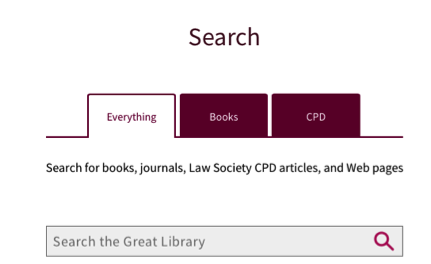
Did you know that you can remotely access continuing professional development (CPD) materials through the Great Library’s catalogue? Whether searching through the “Everything”1or “CPD”2 tab (shown below), you can search, summon, download and send digitized CPD materials remotely.
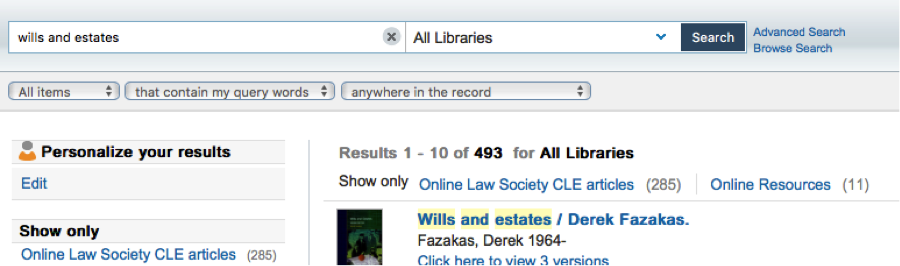
Searches using the “Everything” tab are conducted on the search platform InfoLocate. While searches on this platform will summon results other than CPD materials, you can use the filter “Online Law Society CLE Articles” found on the left to narrow your results to only include online CPD materials. See below:
☝
Searches using the “CPD” tab are conducted using the database AccessCLE. This database is home to hundreds of free, digitized PDFs of Law Society of Ontario CPD materials.
Another place to look for online CPD materials is CanLII. The County of Carleton Law Association CPD materials from 2018 and 2019 were recently made available on CanLII’s “Commentary” platform. Find these by navigating to the “Conference Proceedings” link on the Commentary page, or click here.
Having access to CPD materials can really come in handy as they are a great way to keep up to date on emerging legal issues and can act as primers or introductory overviews of major legal topics in a given field. They are also great tools for finding forms and precedents!